Upside Down Text Generator – Copy & Paste Flipped Text Online for Free
Have you ever come across a comment on Instagram or Facebook where the text looks totally reversed, as if someone has turned that particular sentence upside down? And this isn’t some special font that’s hidden in your phone’s keyboard. The influx of flipped text is generated by a simple tool — an upside down text generator, and once you discover how easy it is to use, you’ll be itching to include backwards text all over the place — in bios, captions, usernames, group chats, and more!
In this guide, we will go through what an upside down text generator is, how it works behind the scenes, why people love it, and how you can start to invert your own texts right now on fontgenrator. com. And to the most popular questions people are asking about this tool.
What Is an Upside Down Text Generator?
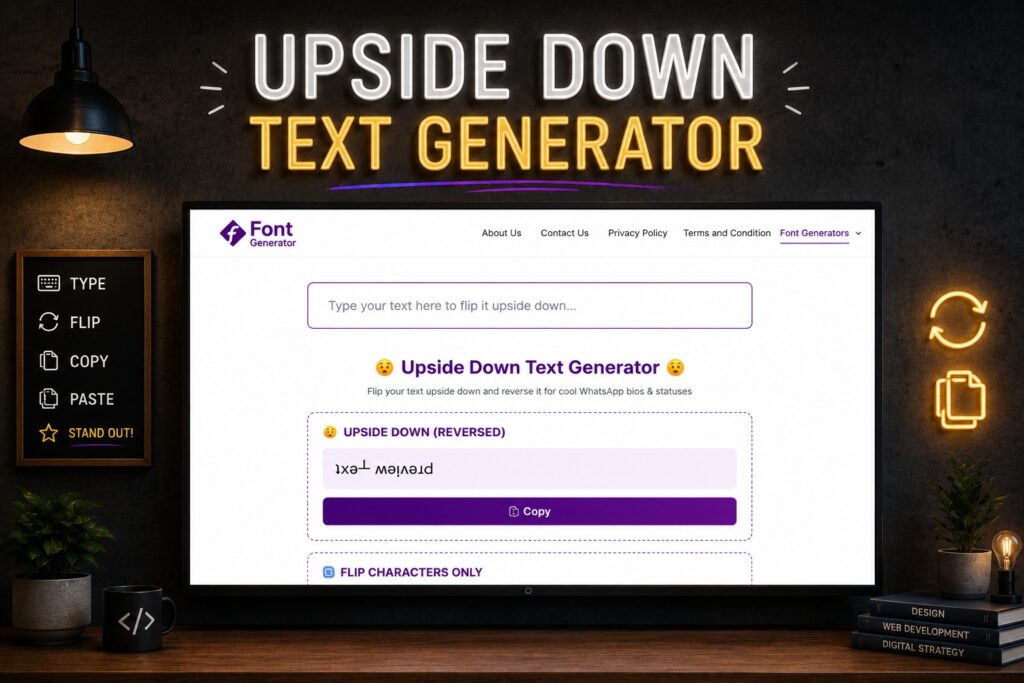
An upside down text generator is a free online tool that reverses your typed words and converts these into text that specifically appears flipped upside down (and for most characters, also mirrored backwards) So, instead of typing hello, seeing a hello in the document, you would find what seems like the word and rotate it 180 degrees, which is as if you used your screen or your paper upside down.
This tool does not literally rotate an image of your text. Instead, it manipulates rare Unicode characters that already resemble upside-down versions of regular letters. The upside down text generator takes a sentence you’ve typed and replaces each letter with its upside-down Unicode equivalent, then the letters are reversed so that the entire sentence reads as it would be inverted.
The result is written text you can just copy and paste anywhere to make it look nice: social media captions, bios, usernames, text messages, forum posts… wherever else you want. You need not have any design skills, image editing, or downloads.
How Does Upside Down Text Generator Actually Work?
Now this is where things get spicy. How can a simple text box show upside-down letters, you might ask, when standard keyboards don’t have an “upside down A” key? The real trick is Unicode, essentially a grand library of characters that computers and phones use to render virtually every human-written language and symbol in the world (yes, even emoji).
Unicode has tons of weird characters, including several specific to phonetic or other writing systems that just happen to look like upside-down versions of standard English letters. The letter “ɐ” appears as an inverted wheat letter a — and so on for each of the other letters: e looks like ǝ, u appears as ᴉ flipped up too.
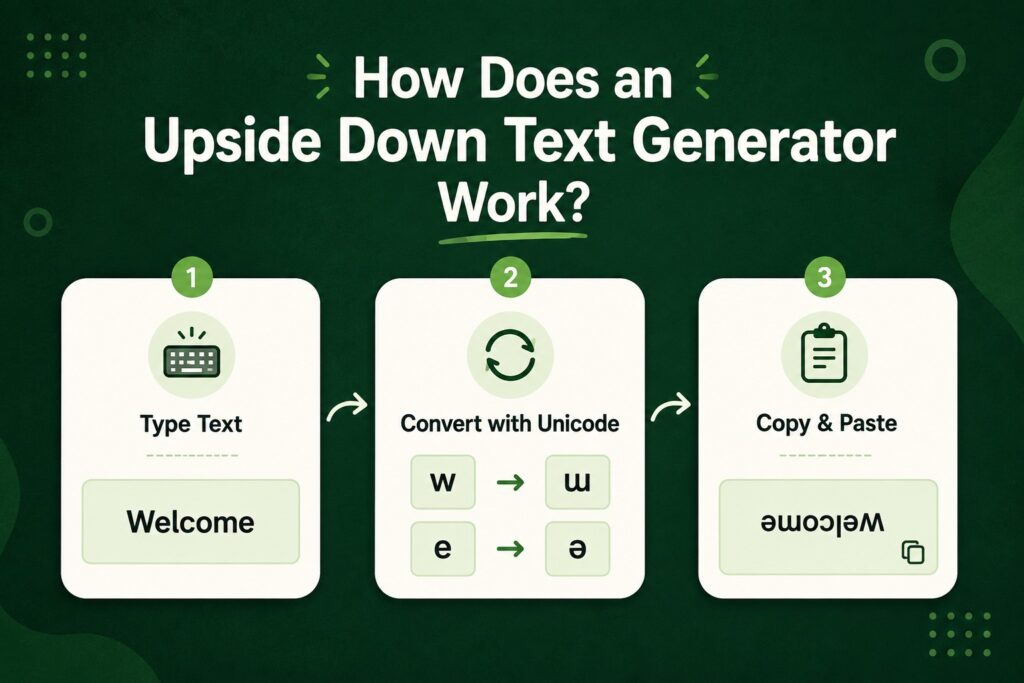
A upside down text generator that can flip your words upside down has a mapping already included that matches every “normal” letter, number, and even some punctuation to the visually closest appearing flipped or upside down Unicode character. When you type your sentence:
- The program scans every single letter you entered.
- This replaces each character with its Unicode version flipped.
- It also reverses the entire string, as turning an entire phrase by 180 degrees makes the last one be the first.
- It shows the end result, waiting for you to copy it.
Because these are real Unicode characters and not images, the flipped text works in almost any place where it accepts basic text input, and this is a large reason why this trend spread so quickly over social media.
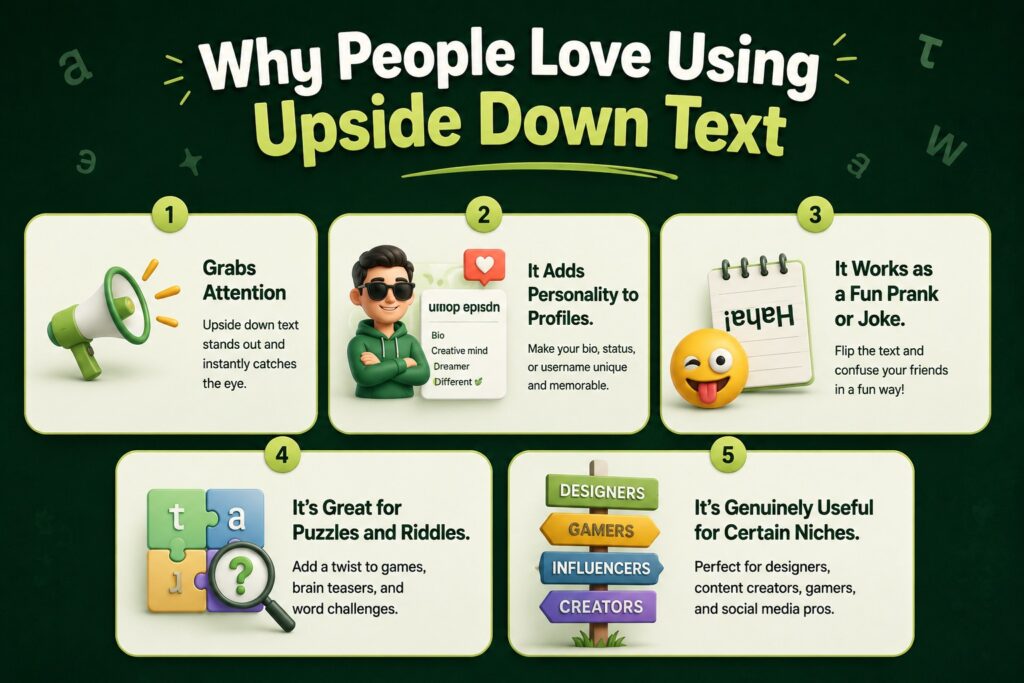
Why People Love Using Upside Down Text Generator
You can work on data through October 2023, and initially, turning your text upside down seems little more than a silly trick — but that part has pretty broad appeal. However, there are a number of very real reasons as to why people keep returning to tools like this.
1. It Grabs Attention
You scroll through a feed of reasonably normal posts until you see one with an upside-down caption or comment. Flipped text is something that sticks out because it looks different and, unfortunately, a very lazy and easy way to make a post stand out — our brains are wired to notice things like this.
2. It Adds Personality to Profiles
Some text that many people use in their bio is upside-down text, a little creativity. Having a flipped tagline, or nickname, means that you like to have fun and you’re not afraid of setting yourself apart from 100’s of standard profiles.
3. It Works as a Fun Prank or Joke
Flipped text is used in group chats and comment sections just cause its funny. Drawing the bottom half of a page upside down on your phone and sending it to someone, also with no context, is an all-time great, harmless prank that never really gets old.
4. It’s Great for Puzzles and Riddles
Teachers, quizmasters, and puzzle creators may use upside-down text to hide answers or as an additional challenge. In addition, as the flipped words are slightly difficult to read right away, these work great for a “guess the word” game.
5. It’s Genuinely Useful for Certain Niches
Some creators will also use upside-down text as branding for their meme accounts, flipside editing novelty/word trick pages, or as part of wordplay visual illusion pages. It becomes part of their own signature style.
Where You Can Use Upside Down Text
You must be wondering if this trick is compatible with all iPhones. Since the flipped letters are just regular Unicode characters, you can paste them anywhere that accepts text, including:
- Instagram captions, bios & comments
- Posts, statuses, and comments on Facebook
- Twitter/X posts and bios
- TikTok captions and comments
- WhatsApp, Telegram, and other messaging apps
- Discord servers and usernames
- Snapchat captions
- YouTube comments with timestamps and descriptions for videos
- Reddit posts and comments
Emails and text documents (though rendering can differ very slightly for each font)
Remember, due to some weird Unicode symbols not being supported by every font on various platforms—especially old devices—not all flipped characters will be shown correctly. However, upside-down text works well in the majority of modern apps and browsers.
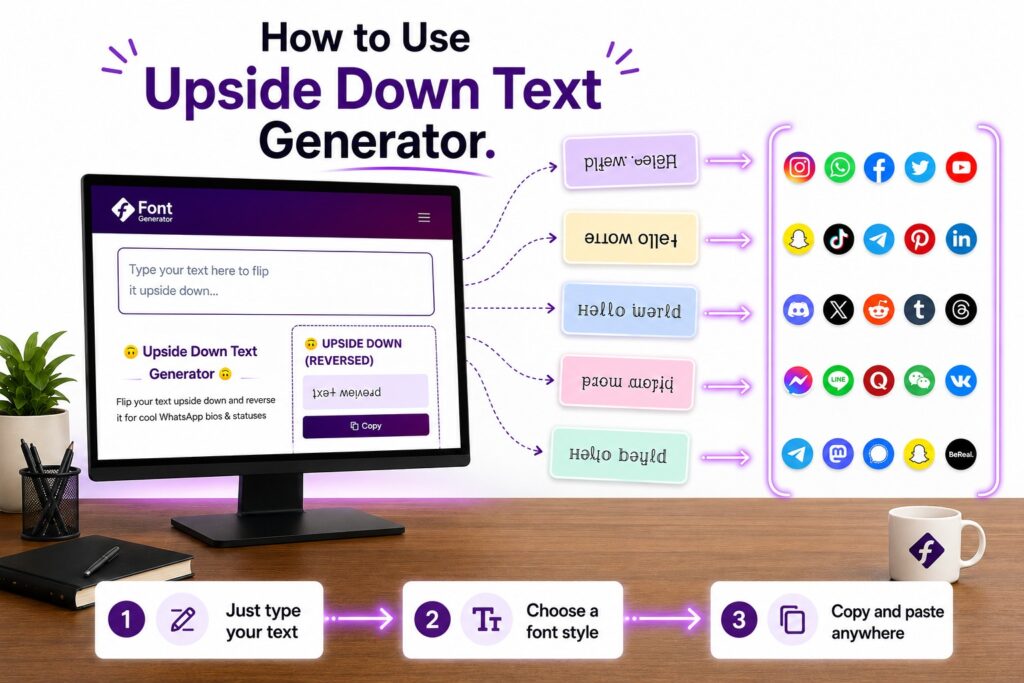
How to Use Our Upside Down Text Generator on fontgenrator.com
To use the tool is pleasantly straightforward; you just sign up, re-sign up, re-download anything, or spend a penny. Here’s the basic process:
Step 1: Go to Upside Down Text Generator
The first thing you should do is go to the upside down text generator tool on fontgenerator.com.
Step 2: Input Your Text Type or paste the word
It can be anything — your name, a humorous message, a quotation, or an entire paragraph.
Step 3: View it Flip Instantly
The upside down text generator will automatically flip your text upside down as you type. There is no need to hit a generate button and wait — it comes instantly.
Step 4: Copy the Flipped Text
If you’re satisfied with the outcome, just click the copy button to grab the flipped text.
Step 5: Paste it wherever you can
You can now just paste the upside-down text into a social media caption, bio, chat, or pretty much whatever you would like to use.
That’s the whole process. Usually takes under 10 seconds, from start to finish, which is also why this tool has become one of the more popular little corners of the internet.
Tips for Getting the Best Results
The tool does the heavy lifting, but here are a few quick tips to get cleaner, more readable reversed text:
1. Keep it short and punchy
Text that is upside down is designed to grab attention, and short phrases are easier to read than long paragraphs.
2. Test it on the platform you plan to use
Fonts look a little different from one app to another. Before you do this in the app, paste your flipped text in here to ensure it looks like you expect!
3. Avoid using it for important information
They are not great as instructions or warnings, or anything that has to be understood in an instant, since flipped text takes a moment longer to read.
4. Combine it with regular text for contrast
One of them is to write a part of the sentence normally and flip a word or two for emphasis — this creates great visual power in your post.
5. Double-check special characters
Unlike common letters, numbers, punctuation, and other less notable symbols may not have a great upside-down fallback, so results will vary for these characters vs plain letters.
Upside Down Text Generator vs. Mirrored Text: What’s the Difference?
These two terms are sometimes used interchangeably, but they really are slightly different.
This technique, known as upside-down text, flips letters by their vertical orientation so that what was on the top is on the bottom and does so along with reversing the letter order, like you literally turned a piece of paper 180 degrees.
Mirroring text is basically a horizontal flip of letters; it mirrors your text, almost like looking at your text in a mirror. They’re turned in the wrong way, but usually not upside down.
Most modern tools (including some upside down text generator) allow you to pick between the two (or even combine) and deliver it based on exactly what you want. For a piece of text that falls right into the old school “turn your phone around & read it” territory, upside-down text is what you seek.
Just as with most online tools and services, there is typically an obvious hint that lets you know whether or not it is safe to use an upside down text generator.
Of course, doing it via a upside down text generator like this is totally safe. The tool only replaces normal letters with Unicode characters; it does not install anything on your system or ask for personal information, nor does it run anything in the background other than converting text. There is one point to note: there is no threat in flipping your text for enjoyment and fun if you copy your data from a trustworthy site.
That being said, it’s generally a good idea to stick with trusted tools over random, unknown websites, especially if the site requests permissions, downloads, or asks for personal information it doesn’t need just to turn text upside down.
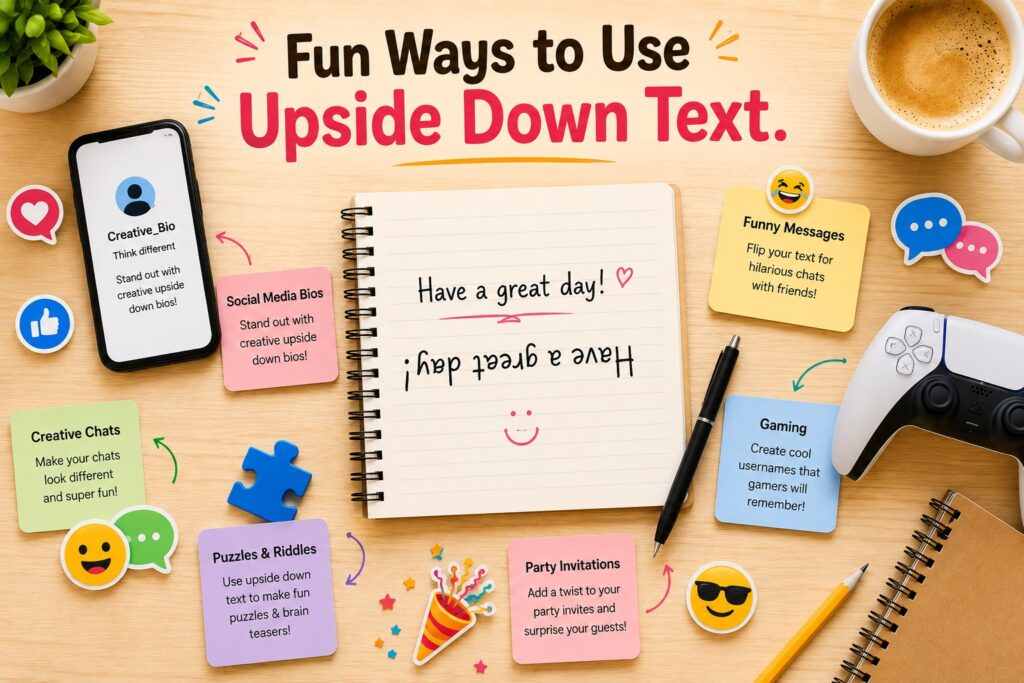
Fun Ways to Use Upside Down Text
Thanks for good reading, and if you are looking for creative ideas where people use flipped text every day:
- Left a birthday note upside down to be silly
- An upside-down quote in your Instagram bio — for the personality
- The answers are designed to only be decipherable when you flip the answer over, which creates “hidden” messages for riddles or trivia questions
- An STFU message with some random upside-down shit to a buddy, just to have them stop and re-read
- Make your Username stand out on a gaming platform, forum, etc., by using flipped text.
- Creating a prankster April Fools’ post that is deliberately flipped right-side up
- Regularly typing half of a caption, then mirroring the punchline for comedic effect
Do I need to download an app to flip my text?
No download is required. This whole tool works in your browser, so you can reverse text on mobile, tablet, or computer without downloading anything.
The History Behind Flipped Text on the Internet
Flipping letters over and upside-down may feel like a trendy new thing on social media, but it dates back way further than you think. Before Instagram bios and TikTok captions, the early internet dabbled with ASCII art and text-based shenanigans across forums and chat rooms. When Unicode grew to add thousands of other characters from other alphabets, leisure time users found that a few of these curious symbols just happened to look like upside-down versions of letters they already knew.
It probably only took one person to discover they could map the entire Alphabet flipped over, and it was not long before some simple converter tools began appearing online. These tools gained a whole new audience as social media platforms grew in popularity. Originating as a trick among internet-savvy tech enthusiasts, it soon became a stock meme format that appeared in comment sections, bios, and even viral posts relating to nearly every major platform.
Upside down text generators are now so widespread that few people stop to think about how the effect is produced. People just know it looks fun, is simple to make, and never fails to trap someone when they are scrolling.
The Technology Behind the Trick: A Closer Look
Considering how this works so seamlessly between all those different devices and platforms, it would be interesting to dig deeper into why. While custom fonts need to be installed or supported by whatever app you are using, Unicode characters form a global standard. Regardless if your target has a modern Operating System (Windows, macOS, iOS, or Android), they all have built-in support for lots of Unicode characters.
And this is exactly why flipped text pastes correctly in practically every setting. Your phone or computer does not have to download a fancy font file; it is just showing characters that are already included in the default character set of the device. The real wizardry of the upside down text generator is knowing how to order the existing characters that, when reversed and chained together, would visually read like an inverted sentence.
Which is why Formaogle in disguise also looks a tad bit more like the real thing than certain other letters. Characters such as “u,” “n,” “b,” and “p” have nice upside-down equivalents because the shapes flip very naturally. Other letters (similar to “r” or “f”) do not have a perfect symmetrical Unicode match; the generator will use the closest visual approximation available. It’s not a perfect science, more of a workaround than, but it’s good enough to go unnoticed by most readers.
Upside Down Text Generator and Social Media Algorithms
So, a common question is whether using flipped text influences the reach of a post on social media. No tool can promise you more reach or engagement, but one could fairly argue that anything that looks weird will help your content stand out as people scroll through their feed.
In general, social platforms reward posts that keep users engaged longer, and anything that looks a bit different from the typical stream of posts could make someone stop, pause, step back, read twice, and occasionally even comment simply to find out how it was done. Even a little more interaction — such as holding on the video for a few seconds longer to watch, or commenting with “what’s that trick” — can, at times, give a post an added boost.
Of course, don’t use it too much. If you take every single post or caption and turn it around, the novelty soon disappears, and it can quickly feel more irritating than endearing for the reader. As with all creative tools, upside-down text should be used sparingly — for the most dramatic effect and in places like captions, bios, or comments where it will stand out.
Creative Examples to Inspire You
One of the best ways to understand how a tool can be used is to provide a few examples in action. Flipped text often shines in creative scenarios, but here are some ideal scenarios where it really shines:
1. Birthday and celebration posts
Flipping some or all of the caption provides a surprise element that comes off more unique — and far less boring than a simple “Happy Birthday” message.
2. Meme accounts and comedy pages
Flipped text is used as a sort of running joke by many meme-focused social accounts, especially for punchlines or unexpected twists on the last line of a post.
3. Study and productivity content
Others would put exact answers to practice questions upside down underneath the text, much like a flashcard, with just enough additional challenge to receive the right answer.
4. Dating app bios
A dating profile with a short flipped phrase will naturally cause people to message you just to ask how the text was generated.
5. Gaming usernames
The flipped characters of a username in a gamer tag provide an advantage, as it creates a unique and distinctive look to help the name stand out on full leaderboards or friend lists.
6. April Fools’ pranks
Upping for the day, a full-hearted post, email signature, or profile bio is a light-hearted way to engage in April Fools traditions with no bashing involved Schreier et al 2016.
Comparing Upside Down Text to Other Fun Text Tools
Fontgenrator.com. You are likely familiar with this kind of site, places like upside down text generator, logarithms.com, where you will find an entire family of textisation tools, not just the upside down text generator. Understanding these tools in relation to each other helps:
Unicode text that is bolded and italicized makes your letter thick or slanted without flipping, great for emphasizing things where a lot of places don’t allow for normal text formatting (most social media bios).
Strikethrough and underline upside down text generator use combining Unicode characters to put a line through or below a letter, often for humor about someone being wrong or reading text in an epic voice.
Mirror upside down text generator. Unlike upside-down talkers, these flip letters horizontally instead of vertically, creating a “backwards” view.
Bubble and square upside down text generator wrap every letter in a bubble-character or square-shaped Unicode character to create stylized, engaging text.
For example, a Zalgo or Glitch or upside down text generator will empile Unicode combining marks above and below letters, resulting in an uncontrollable corruption-looking twisted-appearing plain text effect often used for horror themed content or edgy type fonts.
All of these tools are based on the same premise as this upside-down text generator, reusing existing Unicode characters but using them in such a way that effectively creates a visual effect without needing custom fonts or graphics. All of these tools combine nicely with the upside-down generator, and if you like using it, you can have fun exploring them too for creating a creative website online.
Common Mistakes to Avoid When Using Flipped Text
The tool is actually quite simple, but there are a couple of minor errors to avoid if you want to maximize the experience with your flipped text.
1. Using it for critical information
Flipped text is slower to read than normal text, so it’s not fit for any instruction, contacts, warnings, etc., where immediate comprehension is needed.
2. Overloading a single post
An entire long paragraph can quickly become tedious to go over. One of the worst things you can do, in terms of impact, is to flip a whole block; flipping only 1 or 2 words will be more efficient.
3. Ignoring platform previews
A blessing and a curse; if you skip checking how the flipped text looks on your target platform before posting, it can sometimes lead to rendering being unexpectedly broken on older devices or less popular apps.
4. Forgetting accessibility
Unicode characters appear flipped, but are not correctly parsed by screen readers used by vision-impaired users because they do not recognize them the same way as standard letters. If your content places a high priority on accessibility, use flipped text sparingly and supplement with neighboring normal text.
FAQ
Conclusion
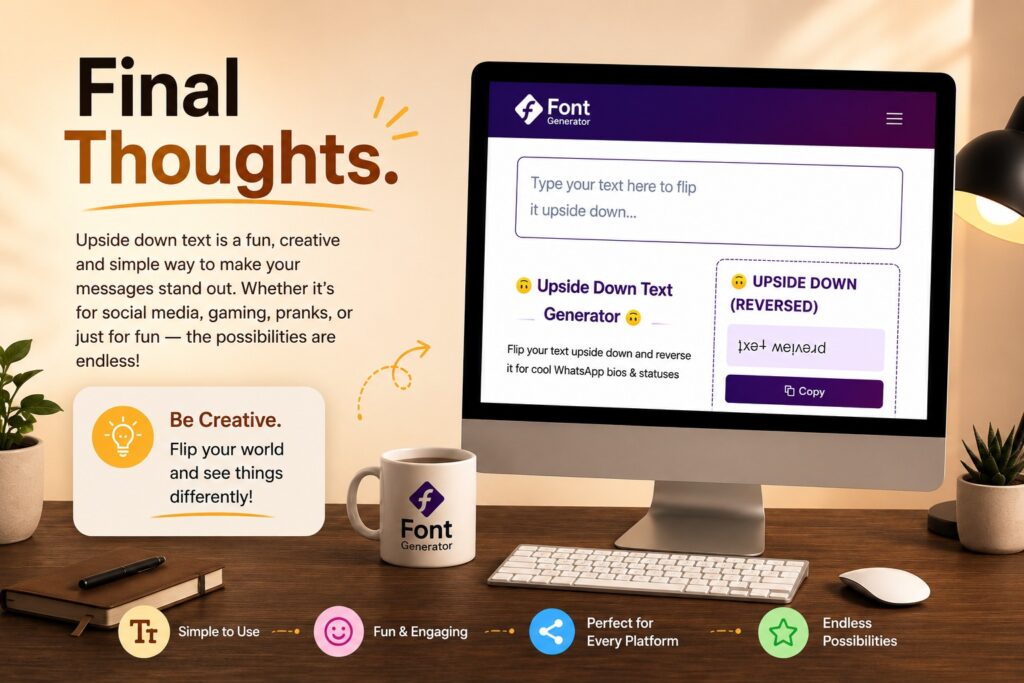
An upside down text generator is one of those tiny Internet tools that you go to feeling relatively straightforward but then somehow find quite entertaining. Whether you are interested in making your social media bio more playful, sending a silly DM to your friend, or creating a puzzle that keeps people guessing, flipping text will only take seconds and work almost anywhere online.
Head over to fontgenrator. Type your message, then watch it flip in a 360-degree instant on kind.com. It is free, quick to use, and it helps you add some personality to your online presence.